

In-App FeedbackTriggersAutomatic Trigger
Delayed Launch
Show the form after a delay from a user action
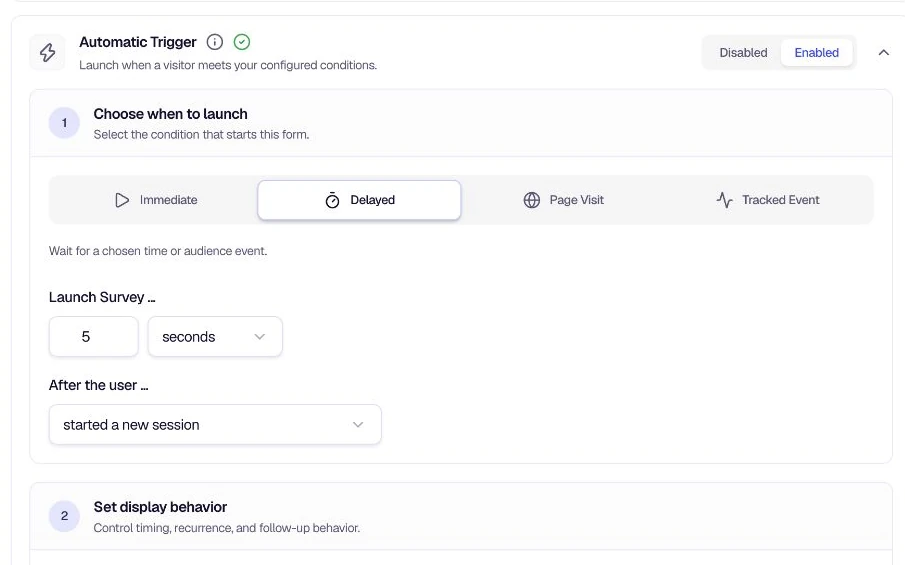
Delayed Launch waits a set amount of time after a user action before showing the form—giving users a moment to settle in before you ask for feedback.
When to use
- Session warm-up — Show the form a few seconds after a user starts a new session.
- Audience entry — Wait after someone enters your target audience before prompting.
- First-time visitors — Delay from the user's very first visit so they can explore first.
Configuration
Launch Survey — Enter a number and choose the unit (e.g. 5 seconds, 2 minutes, 1 day).
After the user... — Pick when the delay starts:
- Started a new session — The timer begins when the user starts a new session.
- Entered target audience — The timer begins when the user matches your targeting rules.
- Was seen for the very first time — The timer begins on the user's first visit.
Tips
- Avoid survey fatigue — A short delay (3–5 seconds) often works better than showing the form immediately on page load. For instant display with no anchor, use Immediate Launch instead.
- Match the flow — Use "Entered target audience" when you want the delay to start only after users qualify for your targeting rules.
- Combine with recurrence — Use Recurrence Settings to avoid showing the form too often to the same user.
Related
- Immediate Launch — Show the form right away when conditions are met
- Recurrence Settings — Control how often the form appears
- On-Page Delay — Add a final delay after the launch condition is met
Was this page helpful?