

In-App FeedbackTriggersAutomatic Trigger
Immediate Launch
Show the form right away when trigger conditions are met
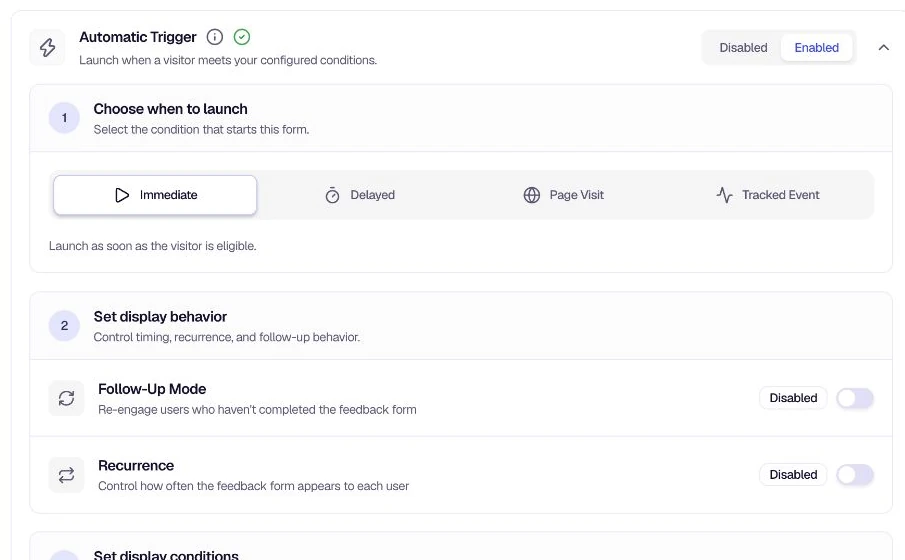
Immediate Launch shows the feedback form as soon as the user is eligible—no waiting period. Once targeting rules match and the automatic trigger is enabled, the form is offered on the next ping (or when the SDK checks for available feedback).
When to use
- Instant feedback — Collect input right when a user enters your target audience or starts a session.
- Time-sensitive flows — Show the form immediately after a support visit, onboarding step, or key product moment.
- Simple auto-trigger setup — When you do not need a delay anchor (session start, first seen, or target audience entry).
Configuration
Select Immediate under Choose when to launch in the Automatic Trigger section. No additional launch settings are required—unlike Delayed Launch, there is no timer or "After the user..." anchor to configure.
You can still refine behavior with:
- On-Page Delay — Add seconds after the launch condition is met.
- Recurrence Settings — Control how often the form is shown to the same user.
- Follow-Up Mode — Re-engage users who dismiss or partially complete the form.
- Location Restrictions — Limit which pages can show the form.
How it differs from Delayed Launch
| Immediate | Delayed | |
|---|---|---|
| Timing | Form is offered as soon as eligibility is confirmed | Form waits until a set time after a user action |
| Configuration | No delay fields | Launch Survey duration + After the user... anchor |
| Best for | Fast, in-context feedback | Giving users time to settle in before prompting |
If you want a short pause without switching launch types, use On-Page Delay with Immediate launch.
Tips
- Pair with targeting — Immediate launch activates for eligible users quickly; narrow Targeting so only the right audience sees the form.
- Avoid survey fatigue — Use Recurrence Settings or a small On-Page Delay if showing the form on every eligible ping feels too aggressive.
- Need page- or event-based triggers? — Use Page Visit Launch or Tracked Event Launch when timing should depend on a specific URL or custom event.
Related
- Delayed Launch — Wait after a user action before showing the form
- Automatic Trigger — All launch types and shared settings
Was this page helpful?