

Element Types Overview
Configure your feedback form structure and element types
Form elements are the building blocks of your feedback form. Each type serves a specific purpose in collecting user feedback.
In the form builder, Add question groups types the same way as below. Use the sidebar or the links under each group to open the doc for that element.
The Add new Question dialog includes Search form elements, a Recommended shortlist, and an Include sample content option. When sample content is selected, encatch prefills titles, choices, and consent markdown where applicable so you can inspect a typical structure before editing it.
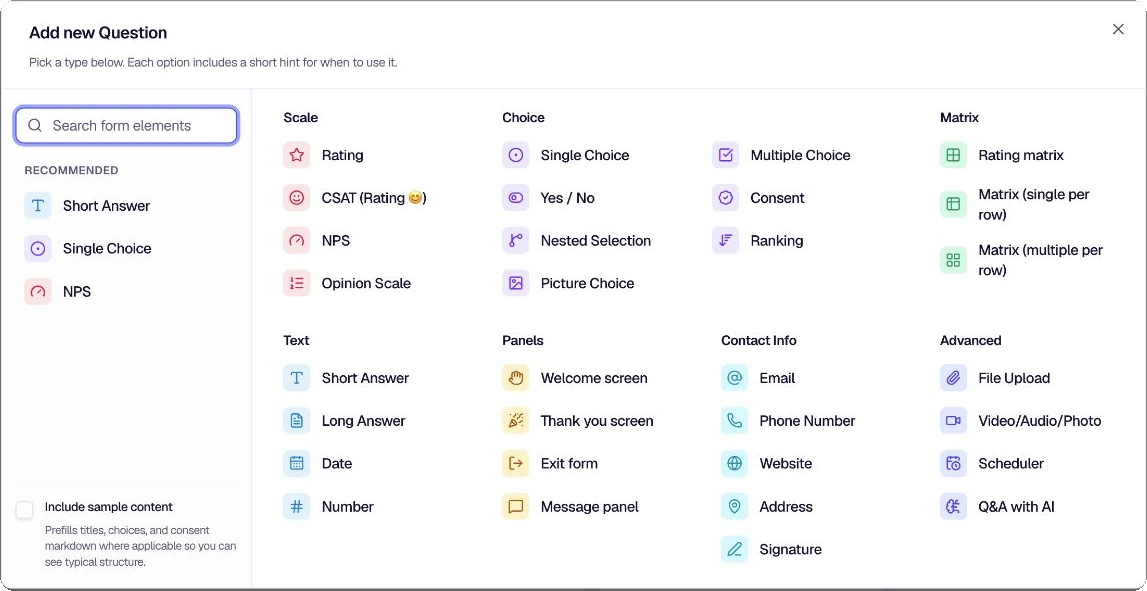
Scale
- Rating — Star or other icon rating scale
- CSAT (Rating) — Customer satisfaction on a visual rating scale
- NPS — Net Promoter Score (0–10)
- Opinion scale — Flexible numeric button scale (start at 0 or 1, 5–11 steps) with optional end labels
Choice
- Single Choice — Exactly one option from a list
- Multiple Choice — One or more options (“select all that apply”)
- Yes / No — Binary choice with customizable labels
- Consent — Agree / disagree to terms or policy text (markdown), without custom option labels
- Nested Selection — Dependent hierarchical selections (parent and child options)
- Ranking — Order options by preference (drag-and-drop or arrows)
- Picture choice — Image grid with optional multiple selection and “Other”
Matrix
- Rating matrix — Multiple statements rated on one shared scale
- Matrix (single per row) — Grid: one column choice per row
- Matrix (multiple per row) — Grid: multiple column selections allowed per row
Text
- Short Answer — Single-line text
- Long Answer — Multi-line text
- Date — Date (and optional time) with format, separator, and min/max bounds
- Number — Numeric value with optional min/max, decimals, negatives, unit, and pre-fill
Panels
- Welcome screen — Opening screen before the first question
- Thank you screen — Closing screen after submit
- Exit form — Silent end marker (no UI); logic jump target to stop the form
- Call to action — Post-submit redirects, in-app navigation, and auto-trigger on thank-you screens and exit forms
- Message panel — Non-question content between items (markdown, continue action)
For branching between questions, see Logic jumps in the Form Builder docs.
Contact Info
- Email — Validated email with placeholder and optional pre-fill
- Phone Number — Phone with country code, optional country lock, pre-fill
- Website — URL with placeholder and optional pre-fill
- Address — Structured postal address with per-line settings
- Signature — Draw, type, or upload signature with canvas options
Advanced
- File upload — Attachments with type filters, size limit, and optional multiple files
- Video / Audio / Photo — Recorded or uploaded media with optional duration and rich labels
- Scheduler — Google Calendar or Calendly embed with intro and autofill
- Q&A with AI — Knowledge-base-grounded chat with limits and UI copy
Other
- Other Fields Configuration — Display options and button labels across the form
Choose a page from the groups above or from the Form Elements section in the sidebar.
Was this page helpful?